Table of Contents
Introduction
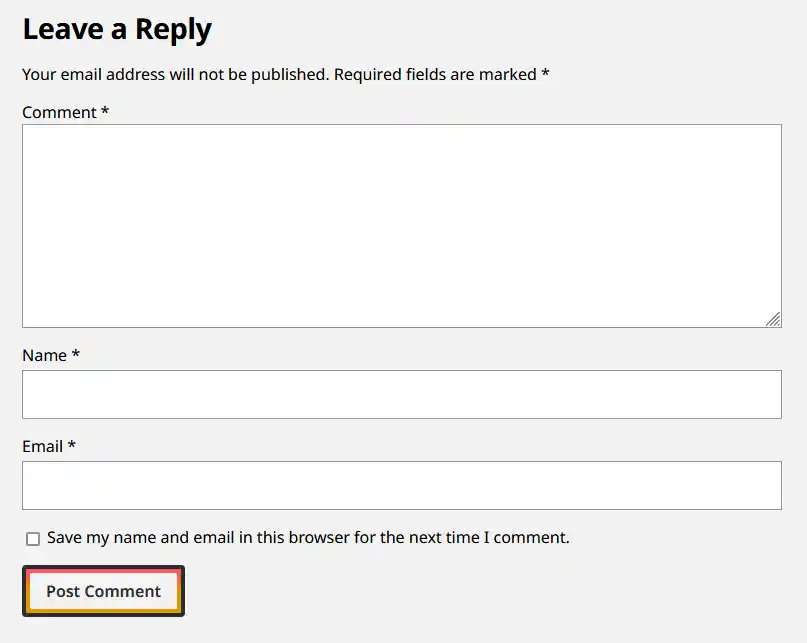
The default WordPress comment form contains the following fields:
- Comment
- Name
- Website
- Accept Cookies
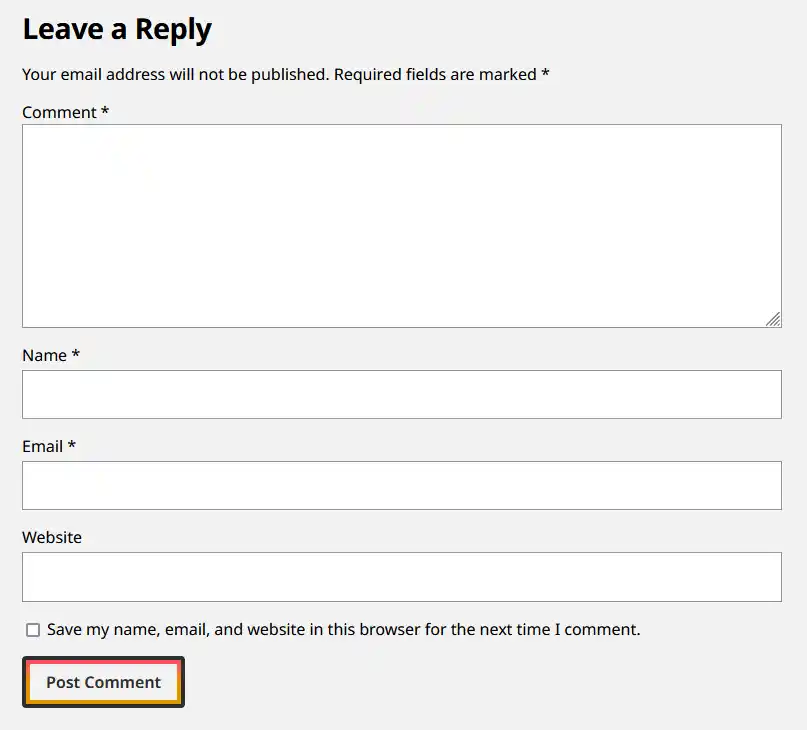
I’m not a fan of the website field, especially since it’s optional anyway. As such, I like to remove it from my blogs.
Remove the Website Field
This code snippet uses the comment_form_default_fields hook to remove the url field from the $fields array. Place this in either your theme, child theme, or a custom plugin.
/**
 * Removes the website field from the comment form
 */
function removeCommentWebsiteField( array $fields ): array
{
    if (isset($fields['url'])) {
        unset($fields['url']);
    }
    return $fields;
}
add_filter('comment_form_default_fields', 'removeCommentWebsiteField');
Update the Cookie Field Text
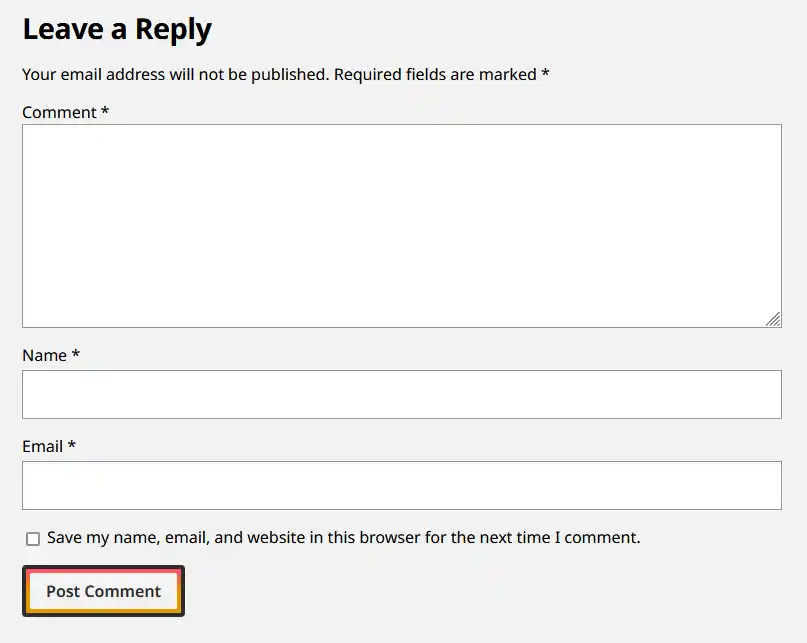
Now that the Website field is gone, the text for the cookie acceptance input needs to be updated to omit the website word website. This function uses the comment_form_fields hook to replace the text with a custom string. Place this alongside the previous code you added.
/**
 * Reorders the comment form field to be the second-to-last element
 */
function changeCookieFieldText( array $fields ): array
{
    if (!isset($fields['cookies'])) {
        return $fields;
    }

    // Set to whatever you like. This is the default message withou the website field.
    $defaultText = 'Save my name, email, and website in this browser for the next time I comment.';

    if (str_contains($fields['cookies'], $defaultText)) {
        $fields['cookies'] = str_replace(
            $defaultText,
            'Save my name and email in this browser for the next time I comment.',
            $fields['cookies']
        );
    }
    return $fields;
}
add_filter('comment_form_fields', 'changeCookieFieldText');
Re-order the Fields
If all you wanted to do was remove the Website field, then you’re done. However, as one last touch, I also like to move the Comment field to be the last text input, as it makes more sense to me that a user enters their details before their comment. This function uses the comment_form_fields hook to move the comment input to go before the cookie acceptance input.
/**
 * Reorders the comment form field to be the second-to-last element
 */
function reorderCommentFields( array $fields ): array
{
    if (!isset($fields['comment'])) {
        return $fields;
    }

    // Save the comment field, and unset it from its default position
    $commentElement = ['comment' => $fields['comment']];
    unset($fields['comment']);

    $keys = array_keys($fields);

    // Find the cookies field, and insert the comment field before it
    if ($pos = array_search('cookies', $keys)) {
        return array_merge(array_slice($fields, 0, $pos), $commentElement, array_slice($fields, $pos));
    }

    // If the cookies field doesn't exist, put the comments at the end as a default
    return array_merge($fields, $commentElement);
}
add_filter('comment_form_fields', 'reorderCommentFields');